


 Games
Games 


 Tournaments
 Hall of Fame
 VIP
VIP 
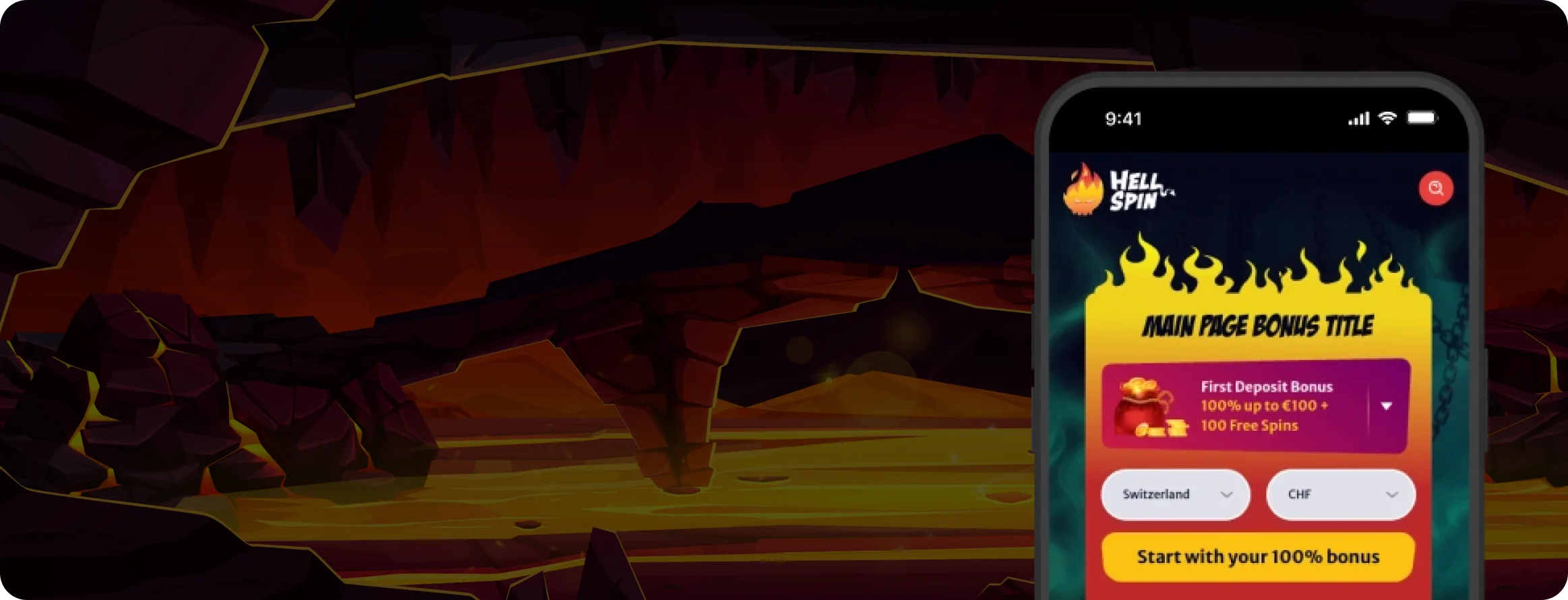
HellSpin Casino App Canada – Mobile Gaming, Bonuses & Features
Canadian players can enjoy HellSpin Casino on the go. Get the iOS or Android app access, claim bonuses, play hundreds of games, and chase wins anytime, anywhere in Canada.
Join NowHellSpin App
The HellSpin Casino app gives mobile players the features most online bettors want today. It combines easy navigation, quick access, and strong privacy protection.
Players across many regions have shared strong feedback, with loyal HellSpin users often praising the smooth mobile experience.
The app keeps everything well organised, with games and menus laid out in a clear format. You can move fast between games, promotions, account settings, and payment methods without feeling lost in the layout.
Users often report stable performance with very few lag issues or glitches, even during live table games or graphics-heavy slots.
Security also stands out. Transactions and personal data use encryption, and privacy can be strengthened through biometric login for quicker and safer access. Canadian users who play on mobile often value this extra layer, especially when logging in on the go.
How to Download & Install
Get the HellSpin Casino App on iOS

To download the app on your iPhone or iPad:
- Open the App Store and search for HellSpin Casino.
- Tap ‘Get,’ then confirm through Face ID, Touch ID, or your Apple ID password.
- Once installation finishes, tap ‘Open.’
- Select Sign Up (new players) or Log In (existing players).
- Turn on push notifications so you do not miss new bonuses, free spins, or tournament alerts.
- In Settings → Security, switch on biometric login for fast and secure access.
If you do not see the app in the App Store right away:
- Check that your device has the latest iOS update.
- Confirm your App Store region settings.
- Use the Mobile Web Version as a full-feature alternative until the listing appears in your area, including parts of Canada where availability may differ.

IOS app

Downloading HellSpin App Through Play Store
If you’re on an Android device:
- Open Google Play, search HellSpin Casino, then tap ‘Install.’
- Open the app, then log in or create an account.
- Allow notifications.
- Set up fingerprint or face scan for faster log-ins.
If Play Store access is limited in your location, use the official APK method below.
APK Installation for Android
Players in some regions may not see the HellSpin app in Google Play due to geo-blocking.
The HellSpin APK offers a simple alternative that works on most Android phones:
- Open the official HellSpin website in your mobile browser and go to the Download page to find the Android APK.
- Tap ‘Download.’ If prompted, allow your browser to install apps from unknown sources. You can switch this off again after installation.
- Open the APK and follow the on-screen steps to install it.
- Launch the app, sign in, and activate biometric login for extra security.
Whether you download an APK for the first time or you already know sideloading well, only use the official HellSpin site for the APK file. Avoid third-party platforms to reduce the risk of phishing, malware, or data leaks.
After installation, it is smart to return to your phone settings and remove permission for “Install unknown apps” for your browser to keep your device protected. This is a good habit for Canadian players who travel and use different networks during mobile play.

Android app
First-Run Checklist
After you install the HellSpin Casino app, take a minute to confirm everything works correctly on your device:
- Verify email or phone to unlock cashier and promo features.
- Turn on notifications (promotions, free spins drops, tournament starts).
- Add a preferred payment method and set your currency.
- Open Promotions and opt in to any active offers.
- Check Responsible Gaming tools and set deposit or session limits that fit your play style.
Troubleshooting & Quick Fixes
- “App not available in my store” → Use the Mobile Web Version or APK (Android).
- “App not installed/parse error (Android)” → Download the APK again, free up storage, and confirm Install unknown apps is enabled for your browser.
- Crashes/slow video in live casino → Close background apps, switch from mobile data to stable Wi-Fi, and update your OS.
- Login loops → Clear app cache (Android) or reinstall the app (iOS/Android).
- Payments not reflecting in bankroll → Refresh the cashier, confirm the transaction completed with your provider, then contact support if the delay goes beyond the normal processing time.

App Features & Benefits
The HellSpin app includes a wide range of practical features that help make online betting simpler, faster, and more comfortable on mobile.
Portability Made Possible
The app reflects the full desktop experience. Even on a smaller screen, HellSpin keeps the same key functions and does not cut down the main tools.
On a phone or tablet, you can browse thousands of slots, table games, and live dealer rooms, then move between sections smoothly. The whole platform stays easy to use with just a few taps, which makes quick sessions feel simple and organised.
Security You Can Trust
HellSpin encrypts gaming sessions, so your data and privacy stay protected during play.
If you want stronger protection, you can switch on 2FA and biometric login.
You can also activate device passcodes for withdrawals, so your funds cannot move without your approval.
It also helps to adjust account settings so you receive security alerts if login details or key credentials change.
Banking Made Easy
The in-app cashier offers the same tools as the desktop version. This includes stored payment profiles that speed up deposits and withdrawals. Pending transactions and bonus fund balances display in one place, so you always know what is ready for withdrawal and what remains locked under wagering rules.
Personalization and Discovery
Favorites and Recently Played give fast access to your top games in seconds. Smart search also makes it easy to find new titles without scrolling for too long. Push notifications can alert you about limited-time offers, bonus drops, and tournament start times, so you can join at the right moment.
App Requirements & Compatible Devices
The HellSpin Casino app is built to work across a wide range of devices, so more users can access the full set of HellSpin games and features. This matters for players who switch between phones and tablets, including many Canadians who use mobile play as their main option.
Devices with newer operating systems usually deliver better performance, smoother loading, and fewer issues during gameplay.
AndroidTech Specifications
The HellSpin Casino app keeps requirements light while still delivering solid performance on Android phones and tablets:
- Minimum Operating System: Android 7.0 Nougat or later
- Recommended Operating System: Android 10+ for better graphics quality and faster loading
- Compatible Devices: Most Samsung Galaxy series, Google Pixel, Huawei, Xiaomi, Oppo
- Memory: 2GB minimum (recommended 4GB for best results)
- Storage Space: Minimum 100MB
Android app
iOS Tech Specifications
For the best HellSpin Casino app experience on iPhone or iPad, you need:
- Minimum Operating System: iOS 11.0 or later
- Recommended Operating System: iOS 13.0 or later for stronger speed and stability
- Compatible Devices: iPhone 6s and newer, iPad (5th generation and newer), iPad Mini (4th generation and newer), iPad Air (2nd generation and newer), all Pro models
- Storage Space: Minimum 100MB
IOS app
The HellSpin app can still run well on older devices due to light code and tuned graphics. Still, if a device sits close to the minimum requirements, live dealer games may take longer to load, and video may feel slightly slower during peak times.

Optimization Tips (App & Mobile Web)
We tested gameplay and general app use over several weeks, and a few simple steps can improve your HellSpin experience. These tips can help whether you play in Canada or travel and switch networks often.
Network & performance:
Use stable Wi-Fi for live dealer streams when possible. On mobile data, anything below 4G can reduce loading speed and video clarity. If the stream stutters, lower the video quality in the live dealer settings when that option appears.
Battery & storage:
Turn off Battery Saver during play. Strong power-saving modes can reduce performance. Keep 1–2 GB of free storage so the app can cache game files for faster loading. Restart your device from time to time to clear memory and keep sessions stable.
App care:
Install updates when the app prompts you. If you use the APK, check the official website once a month for the newest build. After a major OS update, reinstalling the app can quickly fix compatibility issues.
Mobile site:
Add the site to your home screen as a PWA so you do not need to type the URL every time. Clear your browser cache if balances look outdated or promo banners fail to refresh. Turn on browser notifications where supported to catch promo start times and tournament launches.
Safety & account control:
Avoid public Wi-Fi when using the cashier. Never share your device unlock code, and log out if you play on a shared phone or tablet. Set deposit and session limits in the Responsible Gaming menu before long sessions, especially if you play late or play often.
Mobile Web Version
If you do not want to download the app or you want to save storage space, you can still use HellSpin Casino through a mobile browser. This option works well for players who keep gaming light, including Canadians who use mobile web on older devices.

The HellSpin mobile site keeps the full core experience:
- Hundreds of games tuned for touch screens
- Full access to bonuses, promotions, and the VIP program
- Secure deposits and withdrawals
- Account tools and customer support
The main difference is that the mobile browser version does not send push notifications and does not support biometric login.
Still, it works as a strong alternative for players who share devices or prefer browser play without extra downloads.
Join NowFrequently Asked Questions (FAQ)
If you installed the app through the App Store or Google Play, updates usually download automatically once they become available. If you use the APK version, you need to download the latest file from the official HellSpin website and install it manually.
Yes. The mobile app includes the same bonuses available on desktop, and it can also include special app-only offers from time to time.
In some regions, local rules may stop the app from appearing in the App Store or Google Play. You can still use the mobile web version, or download the APK directly from the official HellSpin website.
Not by much. Live dealer games use more data due to HD video streams, so Wi-Fi is the best option for stable play.
Yes. The app uses strong encryption, and you can add biometric login for extra protection.
Responsible Gaming
HellSpin aims to give players a safe, responsible, and enjoyable gaming experience across the app, desktop site, and mobile browser version.
HellSpin reminds users that gambling should stay fun and never become stressful.
The platform includes a full set of responsible gaming tools, so you can play safely, set limits, and track your activity.
All of these tools are available inside your account settings, so you can view them or change them whenever you want.
- Deposit and wagering limits – Control how much you can add to your account or wager over a set period, such as a day, week, or month. This helps you manage your budget with clear limits.
- Session reminders – Automatic notices that show how long you have been playing. These reminders help you take breaks and avoid long sessions that lead to fatigue.
- Time-out and self-exclusion features – Choose a short break, such as 24 hours, or set a longer self-exclusion that can last months. These tools help you reset when you need space.
- Loss limits – An optional tool that caps net losses over a set timeframe, which helps protect your bankroll.
- Reality checks – Pop-ups that display session length, current balance, and a record of recent transactions while you play.
HellSpin also links players to trusted support organisations such as GamCare, BeGambleAware, and Gambling Therapy.
The goal is to give users adjustable tools that match personal betting habits and needs.
A safe player feels more relaxed, and HellSpin’s responsible gaming features help keep entertainment in focus without risking peace of mind.
If you set limits, track your play, and use support resources when needed, you can enjoy HellSpin games and promotions with better control and a clearer routine.